Arena:Controls
This page documents the controls for Arena.
Unlike most later games, Arena does not include any way to rebind inputs, so any customization must be done with external tools such as DOSBox's mapper function (activated with Ctrl+F1).
| Control | Mouse | Keyboard | Notes |
|---|---|---|---|
Movement[edit] |
|||
| Move | Left Click while Cursor is an Arrow pointing up/down | Arrow Keys Forward/Back | The closer the arrow is to the edge of the screen, the faster you'll move. |
| Turn | Left Click while Cursor is a curved Arrow | Arrow Keys Left/Right | While moving backward, the directions of turning are reversed. |
| Sidestep | Left Click while Cursor is a straight Arrow pointing left/right | Ctrl + Arrow Keys Left/Right | |
| Jump | Right Click while Left Mouse Button is pressed | J | Will jump straight up. (Cursor must be above the menu bar) |
| Standstill Jump | Shift+J | Jump forward from standstill. (Cursor must be above the menu bar) | |
| Running Jump | Right Click while Left Mouse Button is pressed | Up arrow key + J | Perform the jump operation while moving forward. Cursor must display the UP arrow for both mouse and keyboard controls. With mouse controls, the higher the cursor, the farther the jump. This can cause you to jump farther than a standstill jump. |
Combat[edit] |
|||
| Attack | Moving the mouse while holding down the Right Mouse Button | Aim at the target to get maximum effectiveness. | |
| Cast | Click the Sunburst Icon  |
C | Left clicking the icon causes your spellbook to appear. You may pick the spell you wish to cast, then its target (if applicable). To recast the same spell, right click the icon or type Shift+C. |
| Draw/Sheath Weapon | Click the Crossed Swords Icon  |
A | You will not be able to attack unless you have drawn your weapon. |
General Gameplay[edit] |
|||
| Interact | Left Click while cursor is X | The interaction depends upon whether you are in talk, cast, or attack mode. | |
| Identify | Right Click while cursor is X | Identifies the object if it is non-generic. | |
| Use Item | Click the Grabbing Hand Icon  |
U | This will bring up a menu of items you can use. Things like potions can only be used via this menu. |
| Steal | Click the Steal Icon  |
P | If it is a person, there will be an attempt to pickpocket them. If it is a barrier, you will attempt to unlock it. |
| Open Logbook | Click the Parchment Icon  |
L | The Logbook records quests. In versions prior to 1.07, storage is limited to approximately 16 records. If the file is 2,000 bytes or larger, the oldest record will be removed before adding a new one. |
| Rest | Click the Campfire Icon  |
R | During rest you will slowly regain lost hit points, spell points, and fatigue. |
| Player Status | Click the Snake Staff Icon  |
S | Shows the current status or your character, such as time of day, diseases, and current poisons/spells. |
| Framerate | N | Shows a framerate counter in the top left of the screen | |
| Show Current Position | F2 | Displays the current x,y position within a settlement or interior location with the lowest numbers representing the northeast corner of the map and the highest numbers, the southwest. Within the wilderness, the numbers are less obvious and range from 31 to 96 and represents an area roughly 1/4th of a large city. Watching the numbers can help you to walk in a straight line and counting the number of times the numbers roll over can allow you to keep track of distance. | |
| Change damage notification | F3 | Changes the effect that occurs when taking damage. "Normal roll" and "Severe roll" cause the screen to shake, while "Cross hatch" causes the screen to have a flash of red. | |
| Toggle pixelation | F4 | Toggles "pixelation" on and off. This is the fade-in, fade-out effect that many text boxes have. Turning it off makes text box transitions faster. | |
| Toggle Compass | F8 | Toggles compass on and off. | |
Inventory[edit] |
|||
| Character Sheet | Click the picture of your character | F1 | Shows your character and his/her current attributes. The spellbook and inventory are subset menus of the character sheet. |
| Select | Left Click | Selected items are highlighted | |
| Equip | Double Click | Unequipable items are red. Equipable items are tan. Equipped items are yellow. Unidentified magic items are cyan. Unidentified equipped magic items will be displayed in bright cyan. | |
| Drop | Highlight item and click Drop | D | Drops an item to the ground. |
Map Activity[edit] |
|||
| Automap | Left click the Map Icon  |
M | The automap shows the places you have already visited, and on a more local scale. |
| Scroll Map | Click the cardinal directions of the compass  |
Within a settlement's walls or large interior, the map will scroll to show the entire area. Within the wilderness the map will scroll to show the area near the player up to the size of a large city. Keeping the mouse button pressed will allow for continuous scrolling. | |
| Center Map | Click the center of the compass |
This will center the map on the player. If you are near the edge of an interior map, the map will show your current location, but the maps edge will be aligned with the edge of the observable area. | |
| Add Note | Left click within the map area | A cursor will appear allowing you to type a note. Press Enter or Right Mouse Click to save and exit. Does not work in the Wilderness or interior locations with a pre-formed map like stores, houses, etc. | |
| Edit/Remove Note | Left click a previous note | A cursor will appear allowing you to edit the note. To remove a note, use the right arrow key to move to the end and then backspace or delete to remove the characters. Press Enter or Right Mouse Click to save and exit. Warning: Notes that are added outside of a settlements walls or the exterior edge of a map cannot be edited or removed. | |
| Continental Map | Right click the Map Icon |
Shift+M | The continental map from which you travel to other cities or villages. Left click on a Province to continue to the next screen or Left click on the exit button, press Esc, or right click on the screen to return to the game. |
| Fast Travel | First, Left click a location, then Left click the Travel Icon  |
After selecting a province, you are shown a map of all the local settlements and travel locations. Left clicking on a location will select it and a window will appear that provides some travel information. Clicking a mouse button or pressing Esc will remove the info screen and allow you to fast travel to that location by left clicking the Travel Icon. You may also choose another option or exit by left clicking the Exit Icon. | |
| Find Location | Left click the Search Icon  |
While the map is open to a specific province, left clicking on the Search icon will pull up the option to search for a specific location. Pressing Enter will cause a drop-down list of all local locations to appear. You may also type the name of the location you are looking for and press Enter to select that location. The location must be located in the current province and complete and correct spelling is required. Capitalization is ignored. If the location cannot be found, the drop down list of locations will appear. | |
Leveling[edit] |
|||
| Rename Character | Click the character name | Allows you to rename your character once per level. Does not work from the normal character sheet. | |
| Select Attribute | Click the attribute | S, I, W, A, D, E, P, L | For keyboard use, selects the attribute starting with that letter (D for Speed). |
| Increase/Decrease Attribute | Click the up/down arrow | Space | For keyboard use, if the mouse cursor is above the attribute arrows, the attribute will be increased; if it's below, it will be decreased. |
Debugging[edit] |
|||
| Artifact Quest | Alt-F5 | Activates the Artifact Quest. | |
| Minimap | Q+B+X | Displays the player position and the active monsters and NPCs. Note that due to using keyboard scan codes, this may not work on all keyboards. | |
| Processor Delay | + / - | Offers nine delay settings intended to prevent processing too fast which can cause sound and graphics issues. The default is no delay and pressing "-" will change to the first delay setting. See the patch notes on how to use this as a command line option when starting the game. If using a DOS emulator such as DosBox, you will find they include various options for greater control of the processing speed. | |
Options Menu[edit]
During a game, pressing the "Esc" key will open the Options Menu. 
Sound/Music[edit]
Clicking the up or down arrows will increase or lower the volume, although the music can still be heard when setting to zero. When using DosBox, the values may change too fast when trying to make adjustments. In order to gain more control, reduce the "cycles" value in the DosBox configuration file. After making the adjustment, save the game, drop to DOS, and return the cycles setting to normal. Using very low values will give you more control, but will require you to patiently wait during the slow introductory screens.
Detail[edit]
The detail slider is primarily used to adjust the speed of the game. It controls the drawing distance for buildings and objects on the screen. Moving the slider to the left will show less objects in the distance, but allow your character and NPCs to move faster. Moving the slider to the right will slow things down, but will show distant buildings, which can be helpful when looking for something specific. Please note that the green bar does not fully reach the right side of the box and this is considered normal behavior.
New Game[edit]
This option will open up the original starting menu. Its primary purpose is to let you start a new game, but also allows you to load a previous game or exit the program. WARNING: It is highly recommended that you do not use this method to start a new game due to various bugs associated with it. To create a new game, first drop to DOS and restart the program.
Load Game[edit]
Clicking this icon will bring up the save slot menu. These will all be labeled "EMPTY" until you have saved and named one of your games. Simply click on the slot that contains the saved game you wish to play. Press "Esc" to exit without making a selection.
Save Game[edit]
This option brings up the save slot menu. Select a slot for the save game file, give it a title, and press "Enter" or right-click to save the game. Pressing "Esc" will allow you to exit without saving.
Drop to DOS[edit]
DOS is the operating system required to play Arena and "dropping to DOS" is the old school way of stating "exit the game". Whenever you left the game you were brought back to the command line prompt for the Disk Operating System. Clicking this icon immediately closes the game and returns you to the DOS prompt. Depending on your settings, this may also exit DOS and return to your modern operating system.
Continue[edit]
The "Continue" icon is used to exit the Options Menu and return to the game.
Using Rowboats[edit]
Rowboats can sometimes be found near the water in wilderness areas and even dungeons (e.g., Elden Grove). Enter a boat by using the interact action described in the General Gameplay section above. Boat operating controls use the same actions found in the Movement section. The jump action is used to exit the boat. Exiting the boat will place you in the water and you will have to swim or climb to shore. You cannot jump to shore from the boat. While using a boat, you will not be able to attack using a blade or bow, however, you can use spells. If you select a spell that requires targeting an enemy, the image of the boat will disappear which allows for a better view of your surroundings. After using the spell, or backing out of the option, the boat will continue to appear invisible until you jump out. Boats are low to the ground, but be aware that you can't fire spells or arrows over the top of them.
Visions (cutscenes)[edit]
During a vision, you can proceed to the next section of the message by clicking the mouse. Pressing most any key on the keyboard will skip the message. In version 1.07, when playing with the audio set up, the visions will automatically proceed to the next screen after the section has been read aloud.
Hints for Mac Users[edit]
These are hints to point you in the right direction. Specific instructions may depend on your system.
- Right Click
- In the Mouse section of System Preferences, ensure that "Secondary Click" is selected with option "click on right side". If you do not have this option, try holding the COMMAND or CONTROL key while clicking.
- Function Keys
- In the Keyboard section of System Preferences, ensure the option to use F1, F2, etc. as standard function keys, is selected.
- Sidestep
- Control + Option(alt) + Left or Right arrow keys.
Gallery[edit]
-
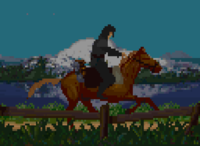
The player on horseback during fast travel

![[Content is available under Attribution-ShareAlike]](http://en.uesp.net/w/images/4/4d/Somerights.png)
